Laptop refresh cycles are routine.
Every few years, organizations replace aging laptops with newer, faster machines.
- It keeps employees productive.
- It keeps systems secure.
- It keeps IT environments modern.
But refresh projects create two very different outcomes.
For some companies, a refresh becomes a pure expense.
For others, it becomes an opportunity to reduce risk and sometimes recover value from the devices being replaced, helping offset part of the cost of the upgrade.
What makes the difference isn’t the new laptops.
It’s what happens to the old ones.
Because every retired device still contains two things: data and sometimes, residual value.
The Part Most Organizations Overlook
When a refresh begins, things move quickly.
New devices go out.
Old ones come back.
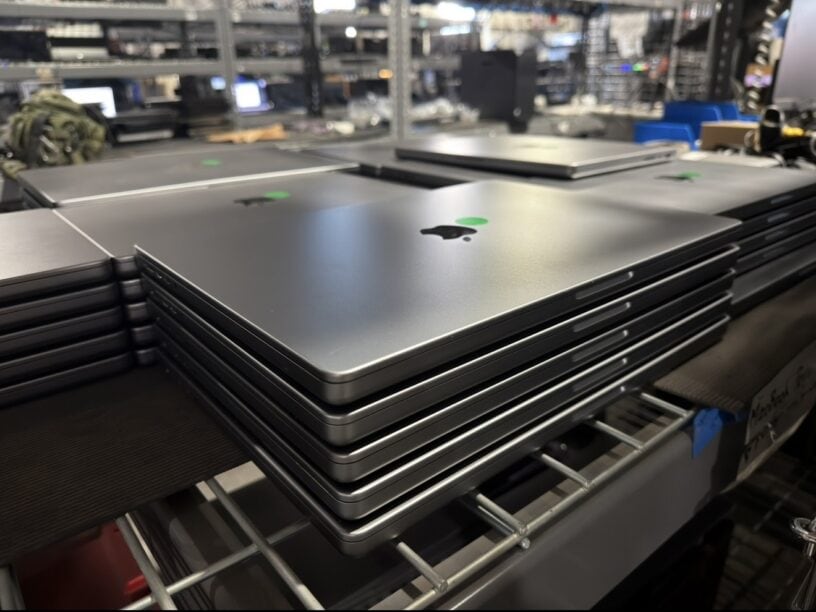
Soon there are stacks of retired laptops waiting to be processed.
In IT staging areas.
In storage rooms.
Sometimes in closets.
And during that time, organizations are still responsible for the information stored on those devices.
Customer data.
Employee records.
Internal documents.
Cached credentials and system access.
Even one improperly handled device can create unnecessary risk.
Where Problems Often Begin
At first glance, disposing of old equipment seems simple.
Send it to recycling.
Erase the drives.
Move on.
But without a controlled process, important steps can easily break down.
Devices may leave the building without a documented chain of custody.
Hard drives may not be wiped according to recognized standards.
Asset inventories may not match what was actually processed.
And once equipment leaves the organization, visibility can disappear.
For IT teams, that uncertainty is the real problem.
What Responsible IT Asset Disposition Looks Like
Organizations that manage refresh cycles well treat retired devices with the same discipline used during their active lifecycle.
A responsible IT asset disposition process typically includes:
• Documented chain of custody
• Certified data destruction aligned with NIST 800-88 guidelines
• Serialized asset inventory reporting
• Responsible recycling through certified downstream partners
• Documentation confirming final disposition
These steps protect data security, support compliance requirements, and provide transparency for internal audits.
There May Also Be Value Left in Those Devices
Many organizations are surprised to learn that retired laptops can sometimes retain resale value.
When equipment is relatively recent and in good condition, remarketing programs may allow organizations to recover a portion of refresh costs through revenue-sharing arrangements.
Not every device qualifies, and the economics depend on factors like age, condition, and market demand.
But when possible, this approach can help:
• offset refresh costs
• extend the useful life of working devices
• reduce electronic waste
• maintain full documentation of data destruction
The Bottom Line
A laptop refresh is more than a hardware upgrade.
It’s also the moment when organizations decide how securely—and how responsibly—they manage the devices being retired.
Because when a laptop leaves your environment, the data inside it should never become uncertain.
Handled properly, a refresh cycle can protect your organization, support compliance, and in some cases even help offset the cost of the next upgrade.
 About the Author
 About the Author
Hector Contreras has over 20 years of experience in sustainable waste management and IT asset disposition (ITAD). He works with enterprise organizations nationwide through Homeboy Electronics Recycling, a social enterprise of Homeboy Industries in Los Angeles. Contact: hcontreras@homeboyrecycling.com.